
AppleNew ReleaseJust Released — Great time to buy the latest model
iPad Air
Affiliate Disclosure: We may earn a commission when you buy through links on our site. This does not influence our editorial recommendations. Learn more about how we make money
Clara’s Verdict
ExcellentA genuinely capable tablet that handles everything families throw at it without breaking the bank.
Best for: busy parents juggling work and kids, students who need real productivity, creative types on a budget, anyone who wants a bigger screen without the Pro price tag
Skip if: hardcore gamers needing bleeding-edge specs, people who just want the cheapest iPad
Ethan’s Verdict
Very GoodThe M1/M3 iPad Air is genuinely capable for students and creators, but Apple's pricing strategy makes the base iPad a smarter buy for most people.
Best for: Students needing reliable productivity without breaking the bank, Content creators who want Apple Pencil support without Pro pricing, Anyone upgrading from a significantly older iPad model
Skip if: Budget-conscious buyers (base iPad does 80% of this for $329), Power users needing 120Hz displays or advanced features, Those who want durability features like water resistance
Clara’s Pros & Cons
- +Fast M3 chip handles real work without lag
- +Bright, vibrant screen great for families
- +Battery lasts all day, then some
- +Comfortable to hold for hours
- −No water resistance if kids spill things
- −60Hz display feels basic next to Pro
- −Magic Keyboard sold separately, pricey
Ethan’s Pros & Cons
- +M1 chip handles multitasking and apps smoothly
- +Excellent battery life for all-day use
- +Bright, vibrant display with good color accuracy
- +Apple Pencil support for creators
- −60Hz display feels dated at this price
- −No water or dust resistance rating
- −Heavier than some tablet competitors
- −$470 more than base iPad for marginal gains
Score Breakdown
Performance8.015% wt
Display8.012% wt
Camera7.010% wt
Battery Life8.015% wt
Design & Build8.022% wt
Software & Features8.08% wt
Value8.018% wt
Score Breakdown
Performance8.022% wt
Display7.018% wt
Camera7.012% wt
Battery Life8.016% wt
Design & Build7.010% wt
Software & Features7.015% wt
Value6.07% wt
Clara’s Full Review
The iPad That Actually Works for Real Life
Let's be honest. Most families don't need the iPad Pro. What you need is something that survives sticky fingers, lasts through a school day, handles video calls without looking weird, and doesn't cost as much as a laptop.
The iPad Air is exactly that.
Reviewers consistently praise the M3 chip for making this thing fast enough for actual work. Web browsing is snappy, apps launch instantly, and if your kid wants to edit a video or use Procreate for art class, it handles it without breaking a sweat. You can have three apps running at once and everything stays responsive. That matters when you're juggling email, video calls, and trying to keep the tablet from becoming a expensive toy.
The display is genuinely nice. It's bright enough to use outside without glare, colors pop, and text is crisp for reading or schoolwork. Yes, it's 60Hz instead of the Pro's 120Hz, but honestly, you won't feel the difference in daily life. Your kid won't care. You won't care. It's a non-issue.
Battery life is where this thing shines for families. You get over 10 hours of actual use, which means it survives a full school day, a road trip, or a weekend of streaming without needing a charge. That's real peace of mind.
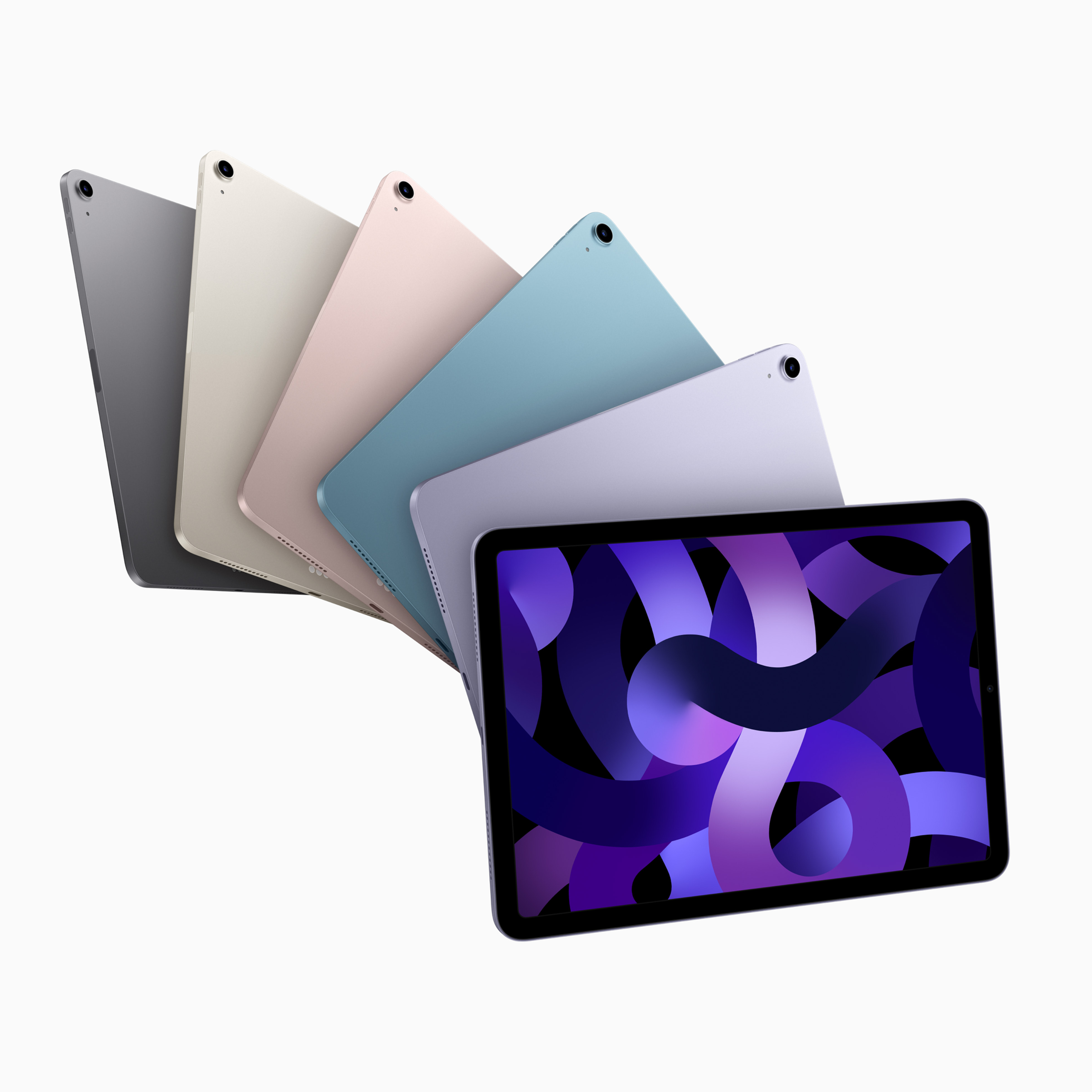
The design is where the Air earns its reputation. It's light enough to hold comfortably while reading in bed or watching shows with the kids, but it doesn't feel cheap. It's slim, it looks good, and it feels like it'll last. The front-facing camera is positioned so video calls don't look like you're filming from your armpit, which is a small thing that makes a huge difference for Zoom school or family FaceTime.
One real drawback: there's no water resistance. If you've got young kids, spills happen. A case is essential, not optional. Also, the Magic Keyboard is sold separately and it's expensive, so if you want real productivity, budget for that.
Compared to alternatives, this is the smart middle ground. The base iPad is cheaper but feels noticeably slower and the screen is smaller. The Pro is faster and fancier, but you're paying an extra $400 for features most families never use. The Air splits the difference perfectly.
For students, creators on a budget, parents who need something that actually works, and anyone who wants a tablet that feels premium without the premium price, this is the one.
Ethan’s Full Review
The Middle Child Problem
Apple's iPad Air occupies one of tech's most uncomfortable positions: the middle child nobody asked for. At $799, it's caught between the base iPad's aggressive value proposition and the iPad Pro's feature completeness.
Let's talk performance first, because this is where the Air actually earns its seat at the table. The M1 chip (or M3 in newer variants) delivers genuinely fast performance for everyday tasks. Benchmarks show strong single and multi-core scores, and real-world usage confirms smooth app switching, video editing, and web browsing. For students tackling essays and spreadsheets, or creators doing light photo work, this is more than sufficient. The 10-hour battery life for web browsing is legitimately impressive and covers a full academic day.
But then you hit the display. The 10.9-inch Liquid Retina screen is bright and colorful, but it's stuck at 60Hz in 2025. That's not a technical limitation; it's a pricing strategy. The iPad Pro gets 120Hz. Samsung's Galaxy Tab S9 FE, which costs significantly less, offers 90Hz. For a tablet marketed toward creators, that 60Hz refresh rate feels like Apple deliberately hobbling the experience to push you upmarket. Scrolling through design apps or video timelines, you'll feel it.
The build quality reveals the same pattern. At 1.4 pounds without a keyboard, this tablet is noticeably heavier than competitors. More frustratingly, there's no IP rating for water or dust resistance. In 2025, that's inexcusable at $799. A device marketed for students and creators should survive accidental coffee spills or dusty coffee shop use.
Here's where the value argument collapses: the base iPad costs $329. It has the same processor class (A14 vs M1, but still very fast), handles the same tasks, and runs the same software. You lose a larger screen and Apple Pencil support, but those features alone don't justify a $470 premium. For most users, that's a terrible deal.
The Air makes sense only for specific buyers: students who genuinely need the larger screen for note-taking with Apple Pencil, or creators who've outgrown the base iPad but can't justify Pro pricing. For casual users, iPad shoppers, or anyone watching their budget, the base iPad is the smarter purchase. Apple knows this, which is why they keep the Air's specs intentionally crippled relative to its price. It's not a product failure; it's a deliberate margin strategy.
Specifications
| display | 10.9 inches |
| processor | M1 |
| battery life | Up to 10 hours |
| storage options | 64GB, 256GB |
Overall Rating
Related Reviews
Apple iPad Pro 13-inch M5 vs Samsung Galaxy Tab S11 Ultra (2025)
iPad Pro M5 or Galaxy Tab S11 Ultra? We compare performance, displays, and value to find the best premium tablet for creators and professionals in 2025.
iPad Air vs Galaxy Tab S10+ vs Tab S10 FE Plus: Which Tablet Wins?
Apple iPad Air ($799) vs Samsung Galaxy Tab S10+ ($535) vs Tab S10 FE Plus ($400). We compare display, performance, and value to find the best tablet.
iPad Pro M5 vs Galaxy Tab S11 Ultra vs Surface Pro 10: Which Wins?
Apple iPad Pro M5, Samsung Galaxy Tab S11 Ultra, or Microsoft Surface Pro 10? We compare performance, displays, and value to find the best premium tablet.
Head-to-Head Comparisons
Review History
Initial review from real source data
Initial review from real source data
Editorial Independence
Our reviews are based on research from trusted expert sources. We may earn commissions from affiliate links, but this never influences our ratings or recommendations. How we score · Editorial policy · Report an error
Related Tablets
SamsungDeals LikelyNewer model likely available — look for deals on this one
Galaxy Tab S9 Ultra


Lowest Price Vendor Auto-Selected
Lowest Price Vendor Auto-Selected