
Keychron V3 Max vs Epomaker AK820 Pro vs Redragon K552 (2025)
Which mechanical keyboard wins? We compare Keychron V3 Max, Epomaker AK820 Pro, and Redragon K552 across typing feel, features, and value to find the best.
VS Quick Verdict

Design & Build
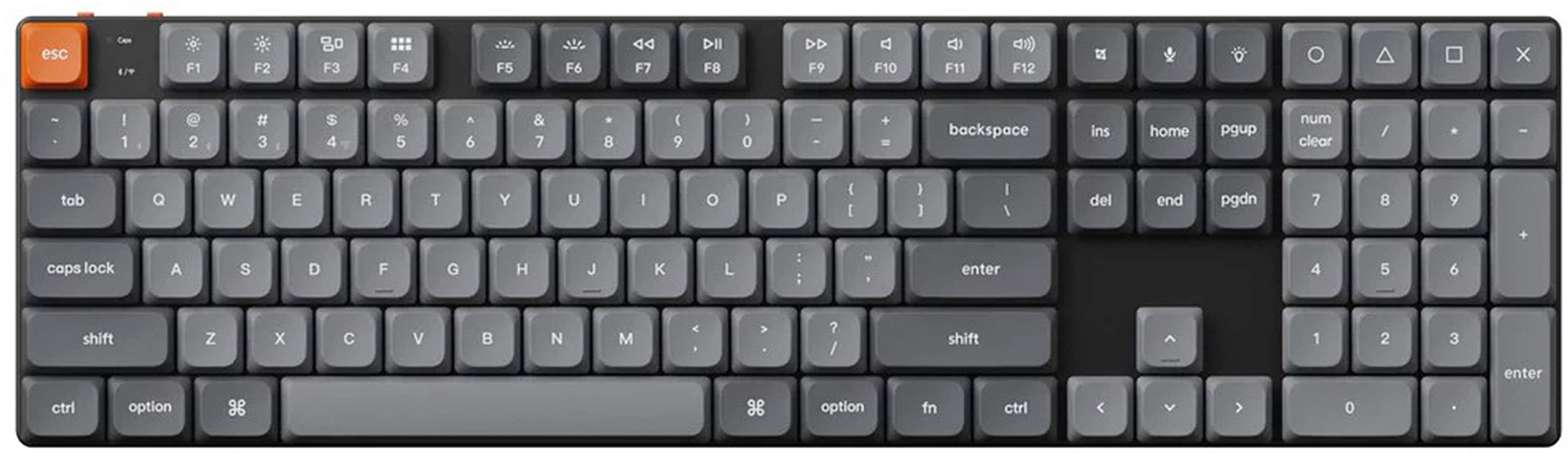
The Keychron V3 Max uses a tenkeyless layout with a black aluminum frame that feels substantial without being heavy. Reviewers consistently praise the durable PBT keycaps, which hold up beautifully after weeks of heavy use according to our editorial analysis. The build isn't flawless though. Multiple reviews flag PCB flex in the upper corners when pressure is applied, suggesting Keychron skimped on internal support to hit the $110 price point. The volume knob placement is awkwardly positioned and hard to reach during normal typing, which breaks the otherwise clean design.
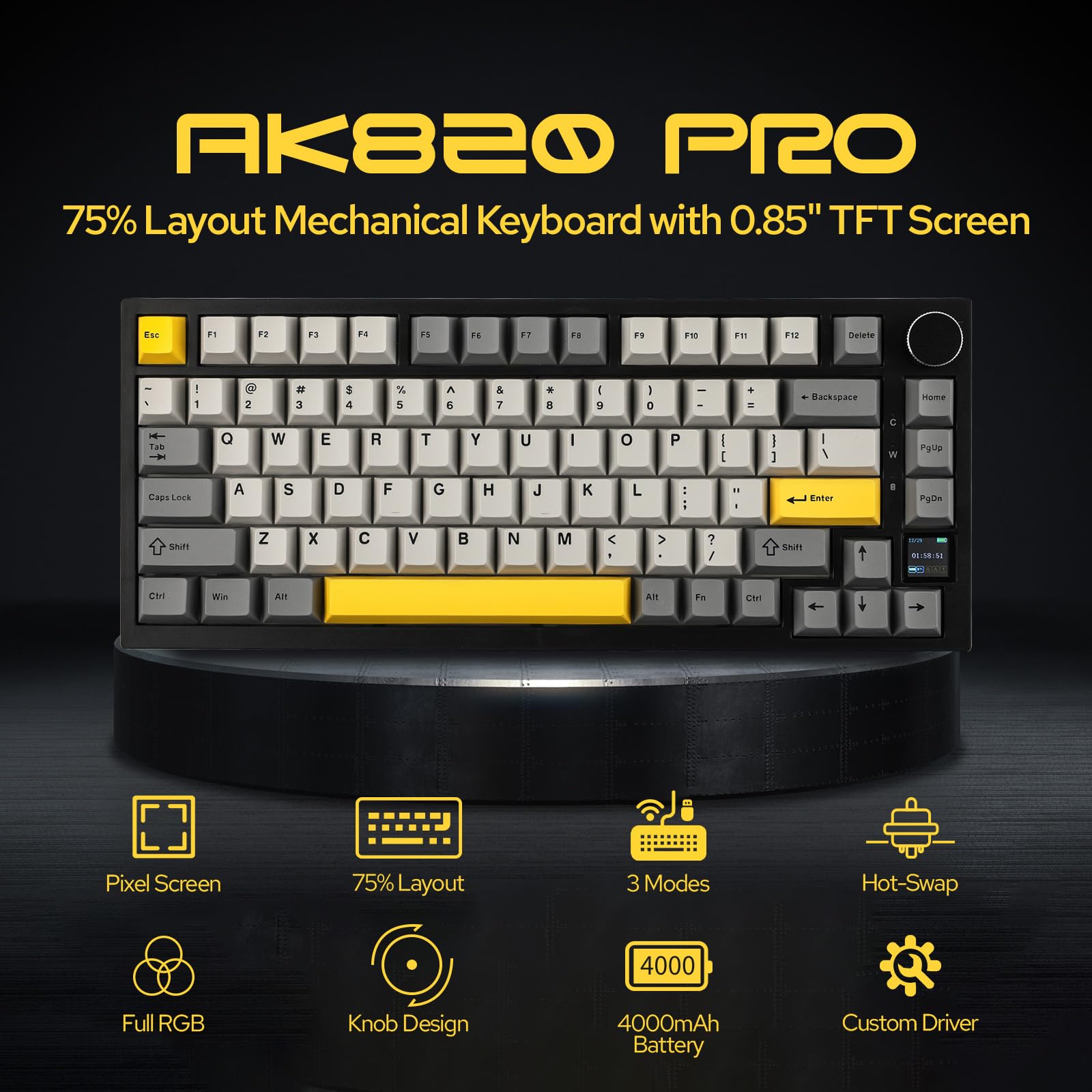
The Epomaker AK820 Pro goes compact with a 75% layout that includes a small LCD screen on the side. It's a space-saver, but the build quality reveals the budget constraints immediately. According to our analysis, the keycaps feel cheap and plasticky, and the overall construction doesn't inspire confidence. The screen adds visual interest but serves no practical function beyond displaying battery level. At $59, you're getting features over premium materials.
The Redragon K552 takes the no-nonsense approach with an 87-key tenkeyless design and surprisingly sturdy construction. Reviews from PCMag and Tom's Guide note the build feels premium for $37, with a solid frame that doesn't flex or creak. There's no aluminum here, just well-executed plastic, but it works. The compact design saves desk space effectively.
Section Winner: Keychron V3 Max. Despite the PCB flex issue, the PBT keycaps and overall construction quality put it ahead. The Redragon punches above its weight, but materials matter.
Performance
The Keychron V3 Max ships with Gateron linear switches that reviewers describe as responsive with excellent bounceback. Tom's Guide gave it a 9.0/10 specifically praising the typing experience as "incredible." The lubricated stabilizers are smooth and quiet, which eliminates the rattle you'd expect at this price point. Hot-swappable switches and QMK firmware support mean you can customize actuation points and key assignments without soldering. Our editorial review found typing accuracy genuinely improved after switching to the V3 Max, which isn't something you can say about most keyboards.
The Epomaker AK820 Pro uses Ajazz Gift or Flying Fish switches depending on configuration. According to TechRadar, the switch quality is solid for the price tier and keeps typing smooth. Hot-swap support means you're not locked into the stock switches, which matters when the keycaps need immediate replacement anyway. Triple connectivity (Bluetooth, 2.4GHz, USB-C) works reliably according to reviews, though the software has documented quirks that make customization frustrating.
The Redragon K552 comes with Outemu Red switches, which are linear and responsive but noticeably loud. Multiple reviews from The Verge and RTINGS flag the noise level as a significant drawback if you share workspace. There's no software customization available, so what you see is what you get. For gaming, the switches perform well with consistent actuation, but don't expect the refined feel of Cherry MX or Gateron switches.
Section Winner: Keychron V3 Max. The Gateron switches combined with QMK support and genuinely improved typing accuracy make this the clear performance leader.
Typing Experience & Customization
This is where the Keychron V3 Max separates itself from budget competition. Our editorial team found the typing feel rivals keyboards costing twice as much, with the Keychron Launcher app making customization painless. You can remap keys, adjust RGB lighting, and create macros without diving into complex firmware flashing. The 72-hour battery life means you're not constantly hunting for a charging cable, and the flexible connectivity (Bluetooth or wired) adapts to your workflow.
The Epomaker AK820 Pro offers hot-swap flexibility and triple connectivity, which sounds great until you encounter the software. Our analysis notes the software has quirky behaviors that make customization frustrating, and other reviewers echo this complaint. The keycaps are subpar and need immediate replacement for comfortable long-term typing. At under $60, you're getting the bones of a good typing experience but you'll need to invest in upgrades.
The Redragon K552 doesn't pretend to be a typing enthusiast's dream. There's no software, no wireless option, and no wrist rest included. What you get is mechanical switches and RGB lighting for $37. Tom's Guide rated it 8.8/10 as an entry-level mechanical keyboard, which is accurate. It's a massive upgrade from rubber dome keyboards, but it won't satisfy anyone who's experienced premium mechanical switches.
Section Winner: Keychron V3 Max. The combination of excellent typing feel, intuitive software, and long battery life makes this the only keyboard here that doesn't require compromises or upgrades.
Features & Connectivity
The Keychron V3 Max offers Bluetooth and wired connectivity with 72-hour battery life that reviewers found legitimately impressive. RGB backlighting is fully customizable through the Launcher app. Hot-swappable switches mean you can experiment with different switch types without buying a new keyboard. QMK firmware support opens up advanced customization for enthusiasts who want to dive deep.
The Epomaker AK820 Pro loads up on features to justify the $59 price tag: triple connectivity (Bluetooth, 2.4GHz, USB-C), hot-swap switches, RGB lighting, and that LCD screen. According to TechRadar, it's "incredible value for money" when you list the features. The problem is execution. The screen is marketing fluff, the software frustrates users, and the battery life is merely adequate for all-day use.
The Redragon K552 strips features down to the essentials: wired connectivity, RGB backlighting, and mechanical switches. There's no wireless, no software, no hot-swap capability. PCMag gave it 8.7/10 for offering mechanical switches and RGB lighting at a budget price, which is fair. You're not getting features here, you're getting the core mechanical keyboard experience without frills.
Section Winner: Epomaker AK820 Pro. Triple connectivity and hot-swap at under $60 is genuinely hard to beat on paper, even if the execution has issues.
Value for Money
Here's where things get interesting. The Keychron V3 Max costs $110, which is nearly double the Epomaker and triple the Redragon. But according to our editorial analysis, you're getting typing feel that rivals keyboards costing $200+, plus features like QMK support and 72-hour battery life that justify the premium. The one-year warranty only covers defective parts, not accidental damage, which is disappointing at this price point.
The Epomaker AK820 Pro at $59 (currently $58.64 on Amazon) represents the best feature-to-price ratio on paper. Tom's Guide called it the "best budget wireless mechanical keyboard" with an 8.5/10 rating. But our analysis found the build quality feels cheap compared to the feature list, and you'll likely need to replace the keycaps immediately. Factor in $20-30 for decent keycaps and you're approaching $90, which changes the value equation.
The Redragon K552 at $37 is the purest value play. You're getting mechanical switches, RGB lighting, and solid construction for less than the cost of two movie tickets. Tom's Guide rated it 8.8/10 as an entry-level mechanical keyboard, and that's exactly what it is. There's no wireless, no software, no premium features, but for someone upgrading from a membrane keyboard, this is transformative.
Section Winner: Redragon K552. At $37, it delivers the core mechanical keyboard experience without asking you to compromise on build quality or switch performance.
Who Should Buy What?
Get the Keychron V3 Max if you want the best typing experience under $150 and you value customization options. The Gateron switches, QMK support, and 72-hour battery life make this the choice for anyone who types for hours daily and wants a keyboard that improves accuracy and comfort. The $110 price is justified if typing feel matters more than saving money.
Get the Epomaker AK820 Pro if you need wireless connectivity and hot-swap switches but can't stretch to $110. You'll need to replace the keycaps and tolerate quirky software, but the triple connectivity and compact 75% layout work well for mobile setups or small desks. Budget an extra $20-30 for keycap upgrades.
Get the Redragon K552 if you're upgrading from a membrane keyboard and want to experience mechanical switches without spending serious money. The $37 price makes this a no-risk entry point, and the solid construction means it won't feel like a toy. Just accept that you're getting wired-only connectivity and no software customization.
Final Verdict
The Keychron V3 Max wins this comparison because it delivers on the promise of premium typing feel without demanding enthusiast-level investment. Tom's Guide rated it 9.0/10 for offering "some of the best typing experiences available," and our editorial analysis confirms that the Gateron switches and lubricated stabilizers create a typing experience that rivals keyboards costing twice as much. The 72-hour battery life, intuitive Keychron Launcher software, and QMK support provide flexibility that the competition can't match.
Yes, the PCB flexes in the upper corners and the volume knob placement is awkward. These are real compromises that hint at cost-cutting. But they don't fundamentally undermine what makes this keyboard excellent: the typing experience that genuinely improves accuracy and the customization options that let you dial in exactly the feel you want.
The Epomaker AK820 Pro offers impressive features for $59, but the cheap keycaps and frustrating software mean you're buying potential rather than a finished product. The Redragon K552 is an outstanding value at $37, but it's an entry-level board that won't satisfy anyone who's experienced premium switches.
At $110, the Keychron V3 Max costs more but delivers meaningfully better performance where it counts. According to aggregated expert reviews averaging 8.5/10, it's the keyboard that doesn't ask you to accept compromises on typing feel or features. That's worth the premium.
Where to Buy
More Keyboards Comparisons
Keychron Q1 Pro vs ASUS ROG Strix Scope II vs SteelSeries Apex Pro TKL: Best Wireless Keyboard
Keychron Q1 Pro QMK Wireless Mechanical Keyboard vs ASUS ROG Strix Scope II 96 Wireless vs SteelSeries Apex Pro TKL Wireless Mechanical Gaming Keyboard
Wooting 60HE+ vs Razer BlackWidow V4 Pro vs Corsair K100: Best Gaming Keyboard
Wooting 60HE+ Hall Effect Gaming Keyboard vs Razer BlackWidow V4 Pro vs Corsair K100 RGB Optical-Mechanical Gaming Keyboard
Affiliate Disclosure: We may earn a commission when you buy through links on our site. This does not influence our editorial recommendations. Learn more about how we make money