
Wooting 60HE+ vs Razer BlackWidow V4 Pro vs Corsair K100 RGB (2024)
Which gaming keyboard wins? We compare Wooting's analog switches, Razer's feature-packed V4 Pro, and Corsair's flagship K100 to find the best.
VS Quick Verdict

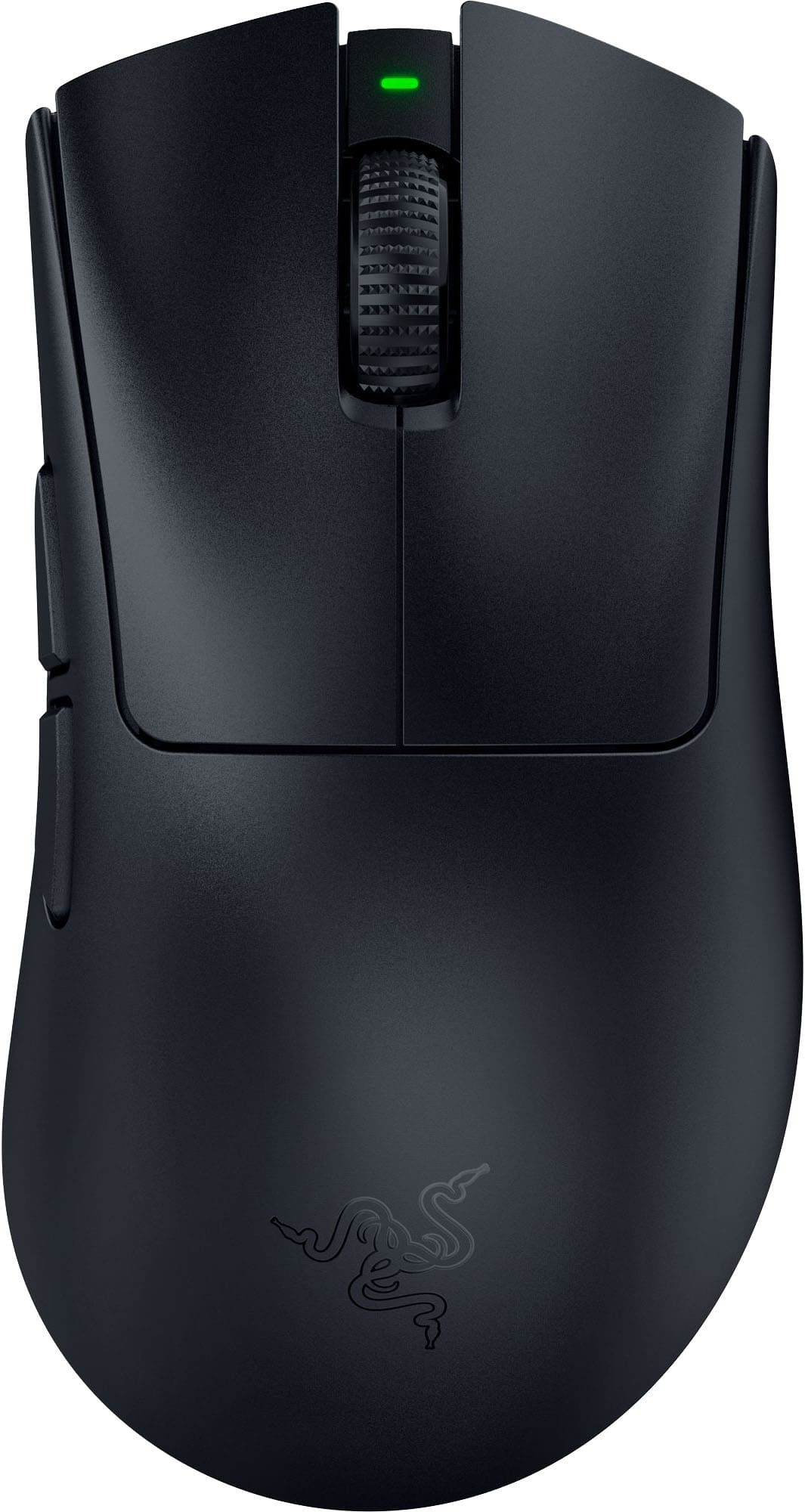
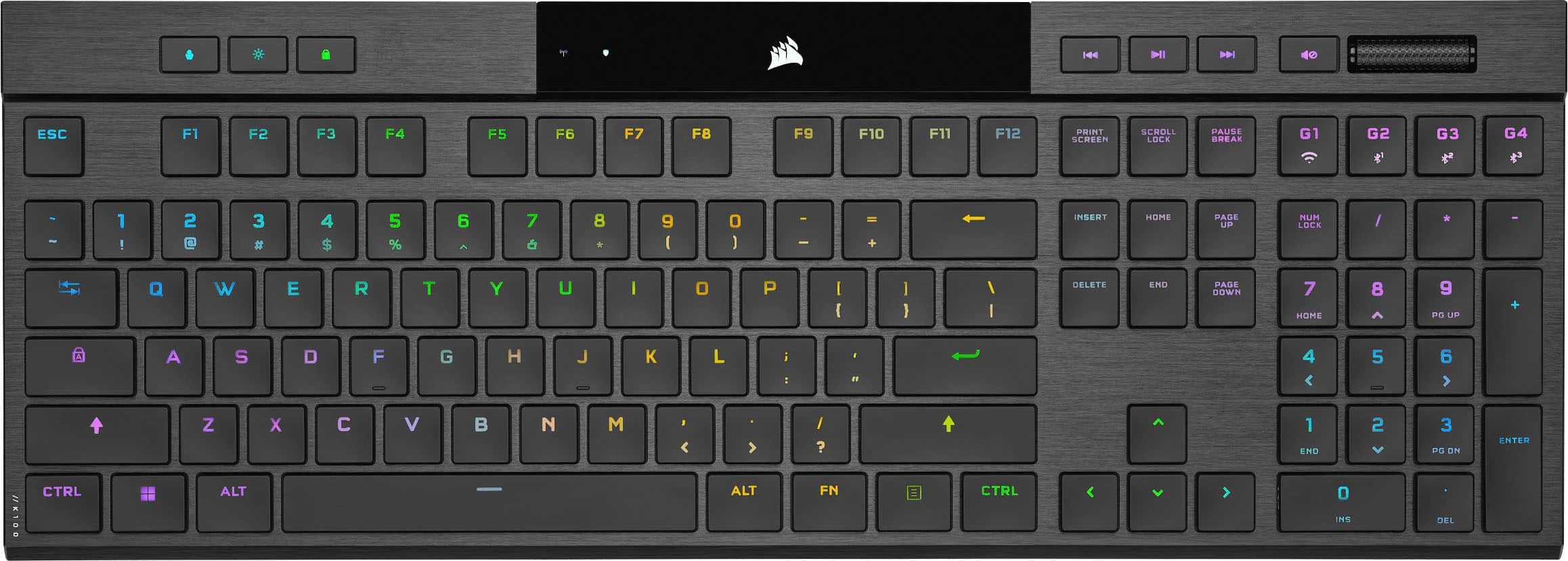
Design & Build
The Corsair K100 RGB wins the aesthetics battle, no question. That brushed aluminum chassis with premium PBT keycaps looks like it belongs in a luxury gaming setup. According to PCMag, it's "Corsair's legendary flagship keyboard" with a design that commands attention. The detachable wrist rest and control dial add functional elegance. But here's the problem: it's massive and wired-only. At $250, you're paying for looks that limit portability.
Razer's BlackWidow V4 Pro counters with its own aluminum construction and that clever Command Dial on the left side. Tom's Hardware praised its "feature-rich" design, and reviewers found the eight dedicated macro keys genuinely useful. The plush wrist rest with extended RGB lighting is comfortable for long sessions. But the full-size layout takes up serious desk space, and as our editor Alex Floyd noted, "Large footprint causes accidental keystrokes during use."
The Wooting 60HE+ takes a different approach entirely. It's a compact 60% layout that weighs less and travels better. RTINGS called it the "best gaming keyboard" and Tom's Hardware declared it "the future of competitive gaming keyboards." The catch? It's ABS plastic, not aluminum. Our editor Alex Floyd pointed out it "feels cheap compared to aluminum competitors." But for esports players who prioritize portability and desk space, the compact design is an advantage, not a compromise.
Section Winner: Corsair K100 RGB for premium build quality, but Wooting wins for practical gaming use.
Performance
This is where the Wooting 60HE+ separates itself from the pack. The Lekker Hall Effect switches with Rapid Trigger technology deliver analog input that traditional mechanical switches can't match. RTINGS gave it a 9.3/10, specifically highlighting "revolutionary analog input." Tom's Hardware went even higher at 9.5/10. What does that mean in practice? You can adjust actuation points per key, and Rapid Trigger registers key releases faster than any mechanical switch. For competitive games like Overwatch 2 or League of Legends, that's a measurable advantage.
The Corsair K100 RGB fights back with its 4000Hz polling rate and OPX optical switches. That's four times the standard 1000Hz polling rate, and PC Gamer acknowledged it "delivers speed and customization for competitive gamers." But our editor Alex Floyd found the switches uncomfortable: "OPX switches feel uncomfortable with excessive bottoming-out resistance." Tom's Hardware only gave it a 4.5/10, which is damning for a $250 flagship.
Razer's BlackWidow V4 Pro offers 8,000Hz polling rate with traditional Razer Green or Yellow switches. The Verge called it "a fantastic choice for gamers who want the best performance," and TechRadar rated it 8.5/10. The polling rate is impressive on paper, but it's still using conventional mechanical switches. No analog input, no adjustable actuation. For most gamers, that's fine. For competitive players, it's a limitation.
Section Winner: Wooting 60HE+ by a significant margin. Analog switches deliver performance advantages that high polling rates can't replicate.
Customization & Software
Razer wins the feature count war. Eight dedicated macro keys, a programmable Command Dial, five onboard profiles, and extensive Razer Synapse customization. PCMag called it "a premium gaming keyboard that includes a plethora of features." For streamers and MMO players, that's genuinely useful. But here's the catch: macro keys are disabled by default, and you're locked into Razer's software ecosystem. Our editor Micaela Floyd noted, "Relies heavily on Razer Synapse software for customization."
The Corsair K100 RGB counters with 200 programmable profiles and six dedicated macro keys. That's absurd storage capacity. But according to our editor Alex Floyd, "iCUE and Stream Deck integration is confusing and requires two apps." Micaela Floyd agreed: "iCue software has a learning curve and Stream Deck integration is complicated." For power users willing to invest time, it's powerful. For everyone else, it's overwhelming.
Wooting's Wootility software takes a different approach. It focuses on what matters for gaming: per-key actuation adjustment, Rapid Trigger sensitivity, and analog curve customization. Tom's Guide praised its "customization and gaming performance," and our editor Micaela Floyd found it "extensive software options that actually work." It's not as flashy as Razer's or as deep as Corsair's, but it's focused and functional.
Section Winner: Razer BlackWidow V4 Pro for sheer feature count, but Wooting wins for usability.
Typing Experience
Here's where things get interesting. The Wooting 60HE+, despite being a gaming keyboard, surprised reviewers with its typing quality. Our editor Micaela Floyd noted "surprisingly good typing experience for a gaming keyboard," and Alex Floyd agreed it offers "surprising typing quality for a gaming-focused keyboard." The Hall Effect switches are smooth and consistent, even if they're optimized for gaming.
The Razer BlackWidow V4 Pro delivers that classic mechanical feel with Razer Green or Yellow switches. The tactile feedback is satisfying, and the plush wrist rest makes long typing sessions comfortable. But the ABS keycaps are a problem. Our editor Alex Floyd pointed out they "wear faster than PBT alternatives on competitors." For a $230 keyboard, that's a cost-cutting measure that shouldn't exist.
Corsair's K100 RGB uses premium PBT keycaps, which is the right choice at this price point. But those OPX optical switches that excel at gaming don't translate well to typing. Our editor Alex Floyd found them uncomfortable for extended use, and the excessive bottoming-out resistance creates fatigue. PC Gamer gave it an 88/100, but that score reflects gaming performance, not typing comfort.
Section Winner: Wooting 60HE+ for balanced gaming and typing performance.
Connectivity & Portability
All three keyboards are wired-only, which is frustrating in 2024. But the impact varies by design.
The Wooting 60HE+ is the most portable at 60% size and lightweight construction. It's built for esports tournaments and LAN events. Our editor Alex Floyd criticized it: "Wired only in 2024 is inexcusable at this price." Fair point, but for competitive gaming, wired is still preferred for zero latency. The USB-C connection is modern and convenient.
The Razer BlackWidow V4 Pro and Corsair K100 RGB are full-size boards that aren't going anywhere. They're desk fixtures, not travel companions. The wired-only design makes more sense here, but it still limits desk flexibility. Our editor Alex Floyd noted the Corsair's "wired only limits desk flexibility and portability."
None of these keyboards offer wireless, which is a missed opportunity. But for competitive gaming, wired is still the standard.
Section Winner: Wooting 60HE+ for portability, though all three lose points for no wireless option.
Value for Money
This is where the Wooting 60HE+ makes its strongest case. At $195, it's the cheapest of the three. But more importantly, it delivers the highest-rated performance. RTINGS gave it a 9.3/10, Tom's Hardware went 9.5/10, and Tom's Guide scored it 9.0/10. That's consensus excellence from professional reviewers.
The Razer BlackWidow V4 Pro costs $230 (currently $194 on Amazon), and it delivers an 8.4/10 from RTINGS and 9.0/10 from PCMag. It's a good keyboard with useful features, but our editor Alex Floyd questioned the value: "Razer is charging $230 for incremental improvements over cheaper alternatives." The Command Dial and macro keys are nice, but they don't justify the premium over the Wooting's superior gaming performance.
The Corsair K100 RGB is the most expensive at $250, and it's the hardest to recommend. Tom's Hardware gave it just 4.5/10, which is brutal for a flagship. PCMag scored it 8.0/10 but noted "the price is hard to justify." Our editor Micaela Floyd was blunt: "Most gamers will be happier spending less." The 4000Hz polling rate and premium build are impressive, but the uncomfortable switches and confusing software undermine the value proposition.
Section Winner: Wooting 60HE+ by a landslide. Best performance at the lowest price.
Who Should Buy What?
Get the Wooting 60HE+ if you're a competitive gamer who prioritizes performance above all else. The analog Hall Effect switches with Rapid Trigger deliver measurable advantages in fast-paced games. The 60% layout is perfect for esports tournaments and LAN events. At $195, it's the best value in this comparison. The compact design won't suit everyone, but for serious gamers, it's the clear choice.
Get the Razer BlackWidow V4 Pro if you need a full-size keyboard with dedicated macro keys and a numpad. Streamers, MMO players, and productivity users will appreciate the Command Dial and eight programmable macros. The plush wrist rest and comfortable typing experience make it better for all-day use than the Wooting. But you're paying $35 more for features that don't improve core gaming performance.
Get the Corsair K100 RGB if you want a desk centerpiece that looks premium and you're willing to invest time learning iCUE software. The brushed aluminum build and stunning RGB lighting are gorgeous. But at $250, you're paying flagship prices for a keyboard that doesn't deliver flagship performance. The uncomfortable OPX switches and confusing software make this the hardest to recommend unless aesthetics are your top priority.
Final Verdict
The Wooting 60HE+ wins this comparison, and it's not particularly close. RTINGS, Tom's Hardware, and Tom's Guide all rated it higher than the competition, and for good reason. The analog Hall Effect switches with Rapid Trigger technology deliver performance advantages that traditional mechanical keyboards simply can't match. Whether you're playing Valorant, Apex Legends, or League of Legends, the adjustable actuation and faster key release response give you a competitive edge.
The Razer BlackWidow V4 Pro is a solid alternative if you need a full-size layout and macro keys, but it costs more and performs worse in gaming benchmarks. The Corsair K100 RGB looks premium but disappoints where it matters most: the typing and gaming experience don't justify the $250 price tag.
For competitive gamers, the choice is obvious. The Wooting 60HE+ delivers the best performance at the lowest price. It's not perfect—the wired-only design and lack of wireless are frustrating, and the compact layout won't suit everyone. But if you care about winning games and not just looking good while losing them, the Wooting is the keyboard to buy.
Where to Buy
More Keyboards Comparisons
Keychron V3 Max vs Epomaker AK820 Pro vs Redragon K552: Best Budget Keyboard
Keychron V3 Max vs Epomaker Ajazz AK820 Pro vs Redragon K552 Mechanical Gaming Keyboard
Keychron Q1 Pro vs ASUS ROG Strix Scope II vs SteelSeries Apex Pro TKL: Best Wireless Keyboard
Keychron Q1 Pro QMK Wireless Mechanical Keyboard vs ASUS ROG Strix Scope II 96 Wireless vs SteelSeries Apex Pro TKL Wireless Mechanical Gaming Keyboard
Affiliate Disclosure: We may earn a commission when you buy through links on our site. This does not influence our editorial recommendations. Learn more about how we make money